

The Hidden Costs of DIY AI Business Software

October 19, 2026

Share this article

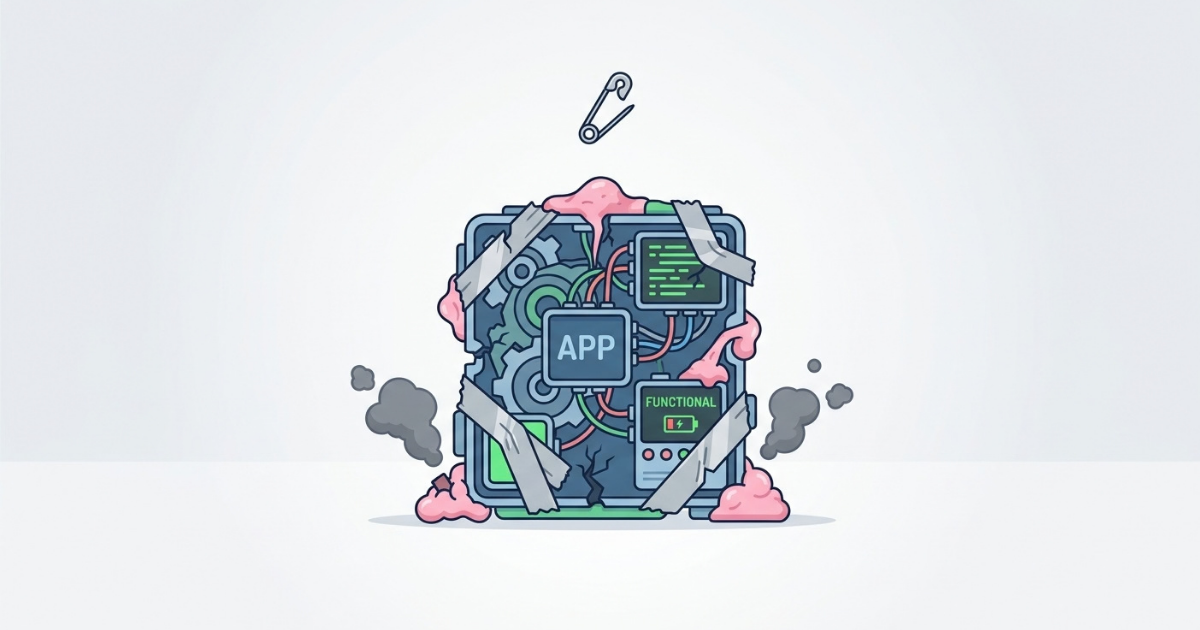
Illustration of an app dashboard with icons and gears, in teal and pink, centered on a white background

It has never been easier to write code. Right now, ambitious operations managers across construction, field service, and healthcare are pasting prompts into ChatGPT or Claude and walking away with working software scripts. In an afternoon, they can build a tool that pulls data from your CRM and emails it to the field team.


At first glance, this feels like a massive win for mid-sized businesses. It is fast, cheap, and solves an immediate annoyance.


But as a custom software company, we see what happens six months later. The script breaks, the employee who built it is too busy to fix it, and operations grind to a halt. Writing the code is actually the easiest part of software development. The hard part is maintaining it, securing it, and making sure it actually fixes the root business problem.


Here is why relying on "Do-It-Yourself" AI software can quietly drain your budget and disrupt your operations.

Why AI Code Generation is Only 20% of the Work

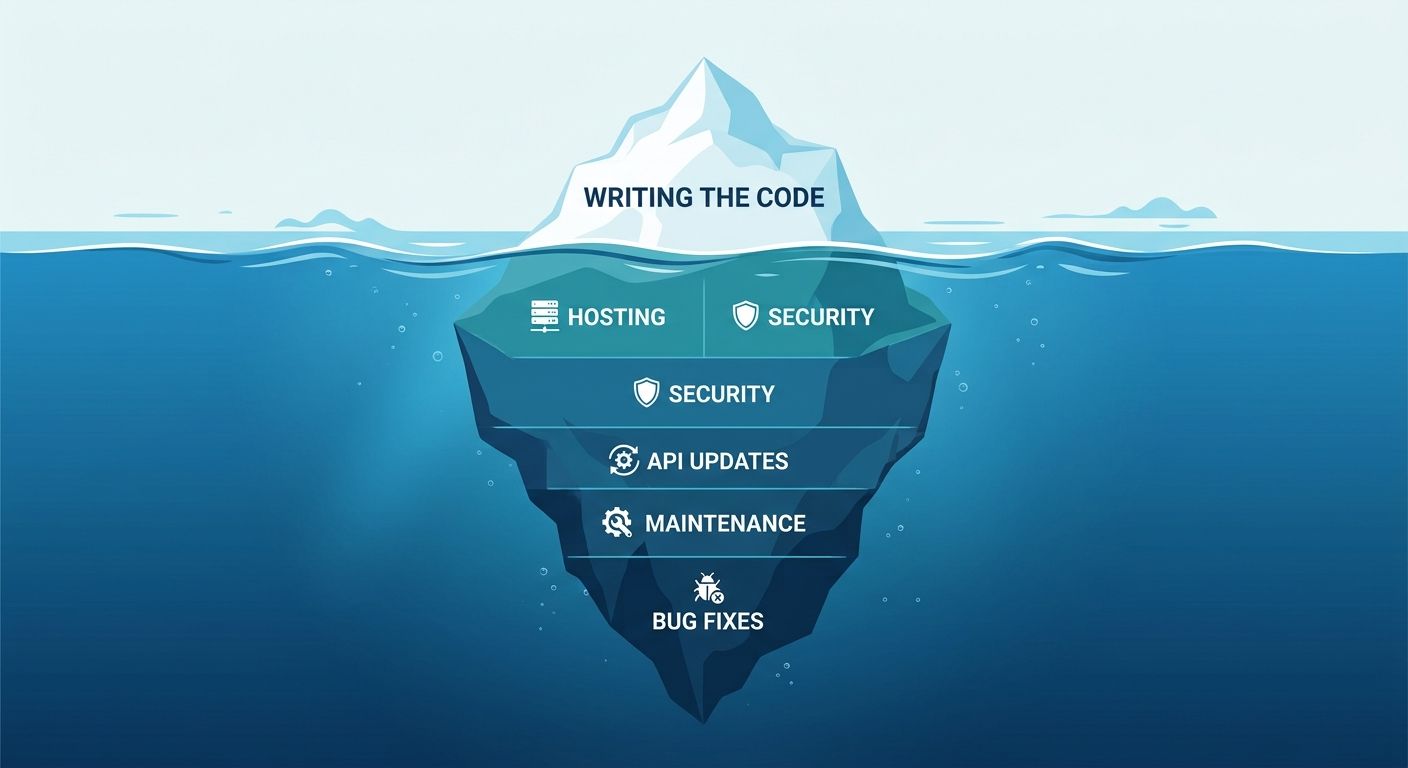
Iceberg infographic with “write the code” above; visible layers label security, flexibility, productivity, and more.

Writing the code only accounts for about 20% of a software tool's total lifecycle. The remaining 80% consists of secure hosting, regular maintenance, user support, and adapting the code when your business processes change.


When you use an AI chatbot to generate a quick script, you are only getting that first 20%. You are skipping the architecture and planning phases. Without a solid foundation, that code becomes what developers call "technical debt"—a temporary fix that will eventually require expensive, time-consuming rework.


For a $10M commercial HVAC company, a broken dispatch script isn't just a technical glitch. It means field crews are sitting idle, and billable hours are lost.

The Trap of the "One-Person Tool"

When an employee builds a custom AI script, they instantly become the single point of failure for that workflow. If that employee goes on vacation, takes another job, or simply forgets how they prompted the AI six months ago, nobody else knows how to fix the tool when it stops working.


Professional software development focuses heavily on documentation and shared architecture. Whether you are using a configurable platform like Lift Office or building from scratch, a professional system is designed so that an entire team can support it. A DIY AI script lives entirely in one employee's head.

API Updates and the Domino Effect

Hand stopping a wooden domino line on a blue background

External software platforms update their connections (APIs) constantly, which will instantly break DIY scripts that rely on them.


Think of an API like a lock on a door. Your AI script is the key. If your accounting software or CRM updates their security protocols, they effectively change the lock. A supported software system has a team actively monitoring for these changes to cut a new key before you ever notice a problem. A DIY script will just crash the next time you try to sync your invoices, leaving you scrambling to figure out why the data didn't transfer.

Security Blind Spots in AI-Generated Code

AI models write code to accomplish a task, but they do not inherently understand your company's data privacy rules or security standards.


When employees build their own workarounds, they often take shortcuts. They might hard-code sensitive API tokens, embed client data in insecure databases, or accidentally expose internal company metrics to the public web.


  • Compliance Risks: In healthcare, a DIY inspection app could easily violate HIPAA if it stores patient-adjacent facility data on an unsecured server.


  • Data Leaks: Pasting proprietary company financials into a public AI model to generate a reporting dashboard can expose your data to the AI's training set.


  • Access Control: AI scripts rarely come with proper user permissions. An apprentice could easily have the same system access as the company owner.

Treating Symptoms Instead of Root Causes

Building an app to digitize a broken process just gives you a faster broken process. AI cannot sit in your office, observe your dispatchers, and tell you that your workflow is the actual problem.


At Modern Mindset Development, we follow a continuous improvement philosophy  based on the PDSA cycle. Before writing a single line of code, you have to understand the business problem. If your field notes are constantly missing information, an AI-generated mobile form won't fix the issue if the root cause is poor communication between the project manager and the foreman.


Software should support a good process, not mask a bad one.

When to Prototype vs. When to Produce

You should absolutely use AI to brainstorm, test ideas, and build simple prototypes to see what kind of software you might need. It is a fantastic discovery tool.


However, you should not run a growing business on a prototype. Once you prove that a concept works, it is time to build a stable, secure version that connects properly to your existing tools.

AI is changing how we work, but it hasn't changed what makes software successful. Long-term success still requires understanding the operational bottleneck, planning a secure architecture, and committing to ongoing maintenance. Don't let a quick AI script turn into tomorrow's operational crisis.


Ready to fix your bottlenecks the right way? Schedule a discovery call with Modern Mindset Development. We will help you audit your current processes and build reliable, tailored systems that actually help your business grow.

Frequently Asked Questions

  • Can I use ChatGPT to write software for my business?

    Yes, you can use ChatGPT to write code and build simple scripts. However, it is best used for prototyping and brainstorming rather than running your daily operations. AI-generated code often lacks the security, error handling, and maintenance architecture required for a stable business environment.

  • What is the biggest risk of using AI to code business apps?

    The biggest risk is technical debt and the "single point of failure" problem. If the employee who built the AI script leaves the company, or if an external software updates its API, the tool will break and nobody will know how to fix it, causing operations to halt.

  • Should we hire a developer or use an AI coding tool?

    Use AI tools to test ideas quickly, but hire a professional developer to build the final production system. A professional team ensures your software is secure, integrated properly with your other tools, and supported long-term so you aren't left stranded when something breaks.

  • How does AI software affect data security?

    Employees building DIY software often lack training in cybersecurity, leading them to leave API keys exposed or store data in unsecured databases. Additionally, pasting sensitive client or financial data into public AI models to generate code can lead to data leaks and compliance violations.

Close the gap from the field to the front desk.

Real-time reports. Zero double-entry. One platform. It’s time for a system that’s as mobile as your crew.

Recent Posts

Three people in hard hats reviewing plans at a construction site
By Modern Mindset Development • October 9, 2026
Mid-sized construction and field service businesses trust our custom software to reduce manual work. Read our client reviews to see the proof.
Engineer rolling up a blue blueprint banner labeled “FIELD SOFTWARE”
October 1, 2026
Stop technology resistance in the field. Learn how executives can successfully roll out software using change management, user-focused design, and the PDSA method.
Abstract blue 3D digital tower with floating rectangular blocks on a white background
September 21, 2026
Stop buying software to fix broken workflows. Learn how to audit your tech stack, eliminate double data entry, and connect systems for better operations.

Doctor in white coat reviewing charts and writing notes at a desk.
September 9, 2026
Paper facility inspections hide costs in manual data entry and delayed maintenance. Learn how to simplify compliance and digitize your workflows.

Gold trophy held overhead by a person standing on stacks of coins against a white background
August 28, 2026
Winning more bids feels like growth, but taking on extra volume can shrink construction margins. Learn how to scale operations and preserve profit.

Person wearing headphones waves during a video call on a laptop in a bright room.
August 20, 2026
Winning more bids feels like growth, but taking on extra volume can strain operations and shrink margins. Learn how to scale construction profits properly.
Blue logo reading “Modern Mindset Development” over a faint building background
By Modern Mindset Development • August 5, 2026
Discover how Modern Mindset Development partnered with Veteran Crane to create Lift Office, helping streamline operations for field service businesses.
Blue tech-themed banner with laptop and logo text “Modern Mindset Development”
By Modern Mindset Development • July 21, 2026
Still running your business with spreadsheets? Learn five signs you've outgrown Excel and how custom software can streamline your operations.
Blue graphic showing “2016” above “2026” with Modern Mindset Development logo and curved arrow between them
June 30, 2026
Explore how field service operations evolved from spreadsheets and calls in 2016 to real-time connected systems in 2026 for better visibility and control.
Modern Mindset Excellence banner with blue tech-themed office scene and man viewing a monitor
June 19, 2026
Disconnected office and field teams cause delayed billing, rework, and blind spots. Learn how to fix broken workflows and build a connected operation.