How to Audit Your Tech Stack Before Adding Another Subscription
Most growing businesses do not suffer from a lack of technology; they suffer from a surplus of disconnected applications. When a new operational challenge arises, the default reflex is often to purchase another monthly software subscription. However, adding a new app to a broken workflow does not solve the problem—it simply digitizes the dysfunction.
Before introducing another tool to your team, you must evaluate what you already have, how it is actually being used, and where the true bottlenecks lie.

1. Map the Actual Workflow, Not the Imagined One
The first step in any technology audit is stepping away from the software entirely. You must understand the physical and administrative steps your team takes to complete a process. Often, leadership's understanding of a workflow differs vastly from the reality on the ground. As we discussed in our article, You Don't Need More Software — You Need a Better Workflow, identifying operational friction is mandatory before writing a line of code.
- Shadow the process: Sit with your estimators, project managers, or field team and watch how they move data from point A to point B.
- Identify the workarounds: Look for post-it notes, personal spreadsheets, or text message chains. These manual workarounds highlight exactly where your current software stack is failing.
- Define the ideal state: Map out what the process should look like without any constraints. Technology should bridge the gap between your current reality and this ideal state.
2. Identify the "Gray Work" and Double Data Entry
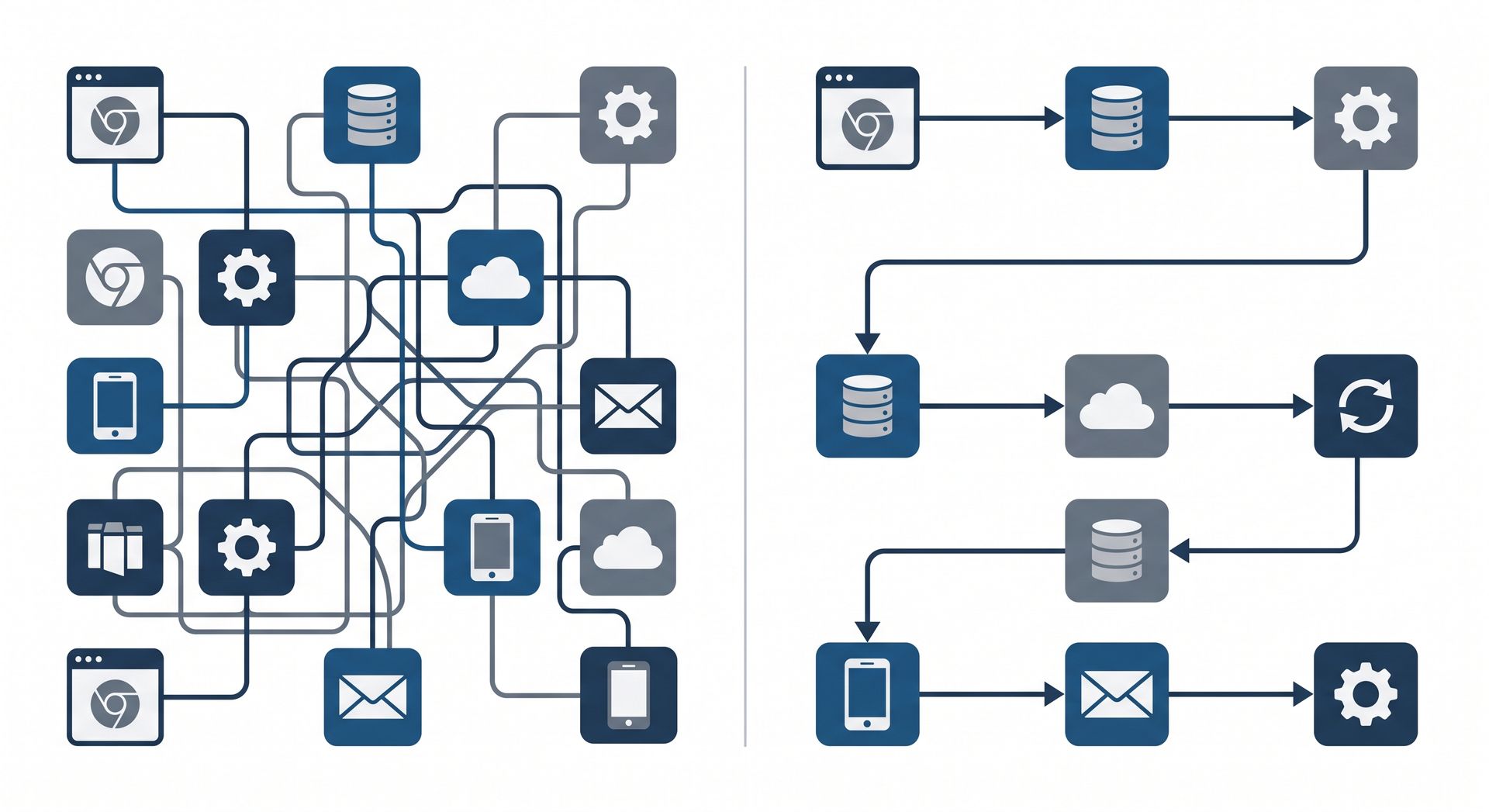
"Gray work" is the manual, repetitive administrative effort required to make two incompatible systems communicate. This is the hidden cost of a bloated tech stack.
| Sign of Gray Work | The Operational Impact |
|---|---|
| Manual Export/Import | Moving CSV files between your CRM and accounting software introduces delays and human error. |
| Duplicate Data Entry | Field teams writing details on paper tickets that office staff must re-type into the ERP system wastes valuable labor hours. |
| Reconciling Spreadsheets | Spending hours cross-referencing scheduling apps with timesheets drains managerial capacity. |
If an audit reveals significant double data entry, buying another standalone subscription will likely make the problem worse. Your focus should shift toward integration or custom consolidation. If your team relies heavily on manual workarounds, read our 5 Signs Your Growing Business Has Outgrown Spreadsheets to see if you are hitting the tipping point.
3. Evaluate Current System Utilization
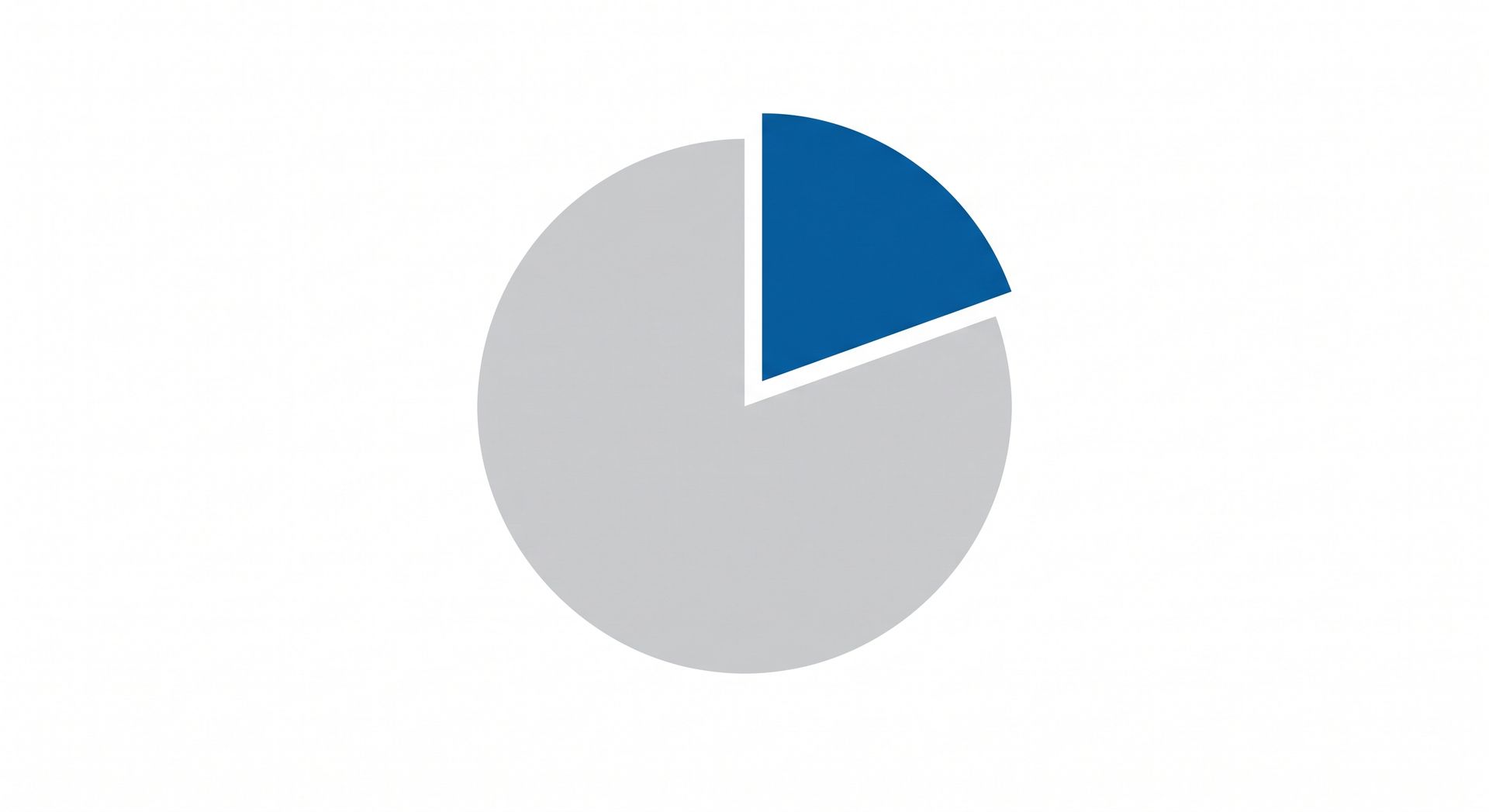
Many businesses pay for robust software platforms but only utilize 10% to 20% of their capabilities. Before buying a new tool to solve a specific problem, investigate whether an existing tool already has that functionality.
Ask your vendors for a feature audit, and talk to your team about why they might be avoiding certain modules within your current platform. Often, the feature exists, but the user experience is too cumbersome for the team to adopt it effectively.

4. The Connect vs. Build vs. Buy Decision
Once you have mapped the workflow, identified the friction points, and evaluated your current tools, you can make an informed decision on how to proceed.
If your core systems are functioning well but struggling to share data, building a custom API integration is often more effective than replacing the entire stack. If your current software forces your team into rigid, unnatural workflows, a tailored custom software solution may be the most cost-effective way to scale. Technology should conform to your business operations, not the other way around.
Frequently Asked Questions
What is a tech stack audit and why is it important?
A tech stack audit is a comprehensive review of all the software applications, tools, and platforms your business currently uses. It is critical because it identifies duplicate subscriptions, highlights broken workflows where data gets lost, and reveals whether your team is actually using the tools you are paying for, ultimately saving money and improving operational efficiency.
How do I know if I have too many software subscriptions?
Signs of subscription bloat include employees doing double data entry to move information between apps, using manual spreadsheets to reconcile data from two different platforms, and paying for overlapping features (e.g., having three different apps that all offer task management).
Should I build custom software or buy off-the-shelf?
You should buy off-the-shelf software for standardized backend processes like general accounting (e.g., QuickBooks). You should build custom software when off-the-shelf options force your team into unnatural workflows, fail to connect your field and office teams, or require hours of manual workarounds just to function for your specific industry.
How do I stop double data entry in my business?
To eliminate double data entry, you must either integrate your existing systems using APIs so they share data automatically, or consolidate your fractured tools into a single custom platform. The first step is mapping out exactly where data originates (like a field service ticket) and where it needs to end up (like your invoicing system) to identify the missing digital bridge.
Close the gap from the field to the front desk.
Real-time reports. Zero double-entry. One platform. It’s time for a system that’s as mobile as your crew.